
Webhook: POST published pages anywhere
Send approved pages as a signed JSON payload to Make, Zapier, n8n, or any endpoint each time you publish.
The Webhook connector POSTs a JSON payload to an endpoint you own each time you publish a page. It fits Make, Zapier, n8n, or a custom service, and it can sign the body so you can verify the request came from Framesite.
What you need
An endpoint that accepts a POST, whether that is a Make, Zapier, or n8n webhook or a custom route, and, if you want to verify authenticity, an HMAC signing secret you choose. The endpoint must be publicly reachable over HTTPS. Connecting requires a workspace admin.
Connecting the webhook
Open the Webhook card
In Framesite, open Settings, then Destinations & connections, and find the Webhook card. Connecting destinations is limited to workspace admins.
Enter your endpoint
Provide the endpoint URL, and a signing secret if you want signed requests.
In Framesite- Settings
- Destinations & connections
- Webhook
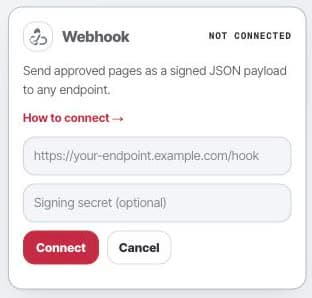
The webhook card holds the delivery URL and secret used to sign every published page payload. Send a test publish
There is no live probe. Save the connection, then publish a page and confirm your endpoint received the payload. The secret is stored encrypted in our vault and never shown back.
What it does
Each time you publish, Framesite POSTs a JSON payload to your endpoint. The payload carries the event set to publish, the page metadata, its URL, an excerpt, an image, the rendered HTML, and the structured data. If you set a secret, Framesite signs the body and includes an X-Framesite-Signature header in the form sha256=<hmac>, which you verify with HMAC-SHA256 over the raw body. There is no dedupe; every publish sends its own POST.
Troubleshooting
- Nothing arrived.There is no live probe, so confirm the URL is correct and publicly reachable over HTTPS, then send a test publish and watch your endpoint's logs.
- The signature does not match. Recompute HMAC-SHA256 over the exact raw request body with your secret, and compare against the value after sha256= in the X-Framesite-Signature header.
- Duplicates are piling up. The webhook has no dedupe. Handle idempotency on your side if repeats are a problem.
Removing the connection
Open the Webhook card and click Disconnect. This removes the stored secret from our systems immediately and ends all further requests to your endpoint. Anything your endpoint already processed is on your side and untouched. Reconnecting later starts from a fresh URL and secret.
Common questions
- What does Framesite POST to my endpoint?
- A JSON payload with the event set to publish, the page metadata, its URL, an excerpt, an image, the rendered HTML, and the structured data, sent each time you publish a page.
- How do I verify the request is really from Framesite?
- Set a signing secret. Framesite then signs the body and sends an X-Framesite-Signature header in the form sha256=<hmac>. Recompute an HMAC-SHA256 of the raw body with your secret and compare.
- Which tools can receive this?
- Any endpoint that accepts a POST, such as Make, Zapier, n8n, or a custom service. The URL must be publicly reachable over HTTPS.
- Does Framesite avoid sending duplicates?
- No. The webhook has no dedupe. Every publish sends a POST, so handle idempotency on your side if you need to collapse repeats.