
Wix: publish draft blog posts
Connect Wix with an API key and site ID to publish approved pages as draft blog posts.
The Wix connector creates an approved Framesite page as a draft blog post in Wix Blog. It authenticates with a Wix API key and your Site ID, and it is write-only: Framesite writes the draft and does not read your Wix content back.
What you need
A Wix API key and your Site ID. You generate the API key from your Wix account settings, and the Site ID identifies the site the draft should land in. Connecting requires a workspace admin.
Connecting Wix
Open the Wix card
In Framesite, open Settings, then Destinations & connections, and find the Wix card. Connecting destinations is limited to workspace admins.
Enter your details
Paste your Wix API key and your Site ID.
In Framesite- Settings
- Destinations & connections
- Wix
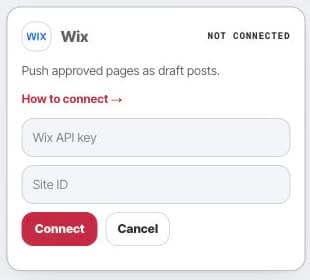
Open the Wix setup card to connect the site that will receive approved draft posts. Save the connection
The API key is stored encrypted in our vault and is never displayed again.
What it does
When you approve a page, Framesite creates it as a draft blog post in Wix Blog. Re-syncing the same page updates the same draft rather than creating a duplicate. Formatting is basic, plain paragraphs, so review the result in Wix. Framesite does not publish the post live, and it does not read your Wix content back.
Troubleshooting
- The connect button says denied. Connecting is limited to workspace admins. Ask a workspace admin to connect, or to make you an admin.
- Formatting looks rough. This connector produces plain paragraphs and is our least battle-tested destination. Review and adjust the draft in Wix before publishing.
- The key or Site ID is rejected. Confirm the API key is valid and that the Site ID matches the site you want the draft in.
Removing the connection
Open the Wix card and click Disconnect. This removes the stored API key from our systems immediately and ends all further access. Any drafts Framesite already created stay in Wix, because they are your content there; keep or delete them as you like. Reconnecting later starts from a fresh key.
Common questions
- Does Framesite publish live blog posts on Wix?
- No. Framesite creates the page as a draft blog post in Wix Blog. It does not go live until you publish it in Wix.
- Why does the formatting look plain?
- Wix formatting is basic here, plain paragraphs, so review the draft in Wix and adjust the layout before you publish it.
- Does Framesite read my Wix content?
- No. Wix is a write-only destination. Framesite creates and updates the draft blog post; it does not read your Wix content back.
- What stays if I disconnect?
- Disconnecting removes the stored API key. Any drafts already created stay in Wix for you to keep or delete.